 Howtoo
A budget app should
read a calendar
When a card payment date falls on a weekend or a public holiday, the money actually leaves on the next business day. Howtoo works that out and tells you first. And it does not only talk about money — it keeps the reason next to the number.
- Ledger
- Spending journal
- Period log
- Calculator
- Business P&L
- Investing
- Tax
What makes it different
Plenty of apps record what you spent. Howtoo works out when the money actually moves, and keeps the reason beside the number.
| The situation | A typical budget app | Howtoo |
|---|---|---|
| Card payment date falls on a Sunday | Shows it on that day | Calculates and shows the next business day |
| Insurance direct debit falls on a Saturday | Treated the same as a card | Leaves that day — the rule is set per item |
| An end-of-month payment slides into next month | Disappears from this month's budget | Tells you it moved to next month |
| The account will be short on the payment date | You find out on the day | Alerts you the morning before |
| You cannot remember why you spent it | Only a number remains | Write a spending journal straight from the entry |
| You always spend more at a certain time of the month | No way to see it | Compares spending and cravings by cycle phase |
| You need to split an amount | Open a separate calculator | Type 12000+3500*2 straight into the amount field |
| You run a shop and only see revenue | Mixed with household spending, so profit is invisible | A separate business ledger computes revenue − cost of goods − overheads |
| A couple each run their own pension accounts | Mix them into one ledger, or give up | Keep separate ledgers and view the combined total |
Start with when the money moves
Only a ledger that reads the calendar can tell you what is really left next week.
When the payment date is a holiday
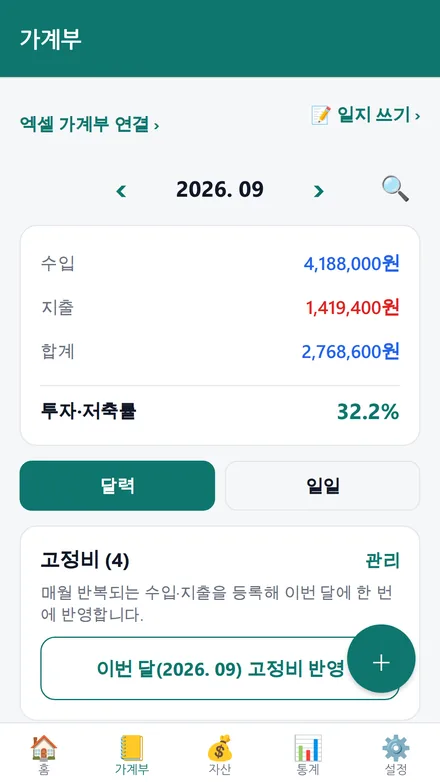
A card bill slides to the next business day; an insurance debit goes out that same day. You set the behaviour per item.
Next month's expense, not this month's
An end-of-month payment pushed to the 1st lands outside that month's budget. Howtoo points it out.
Warned the morning before
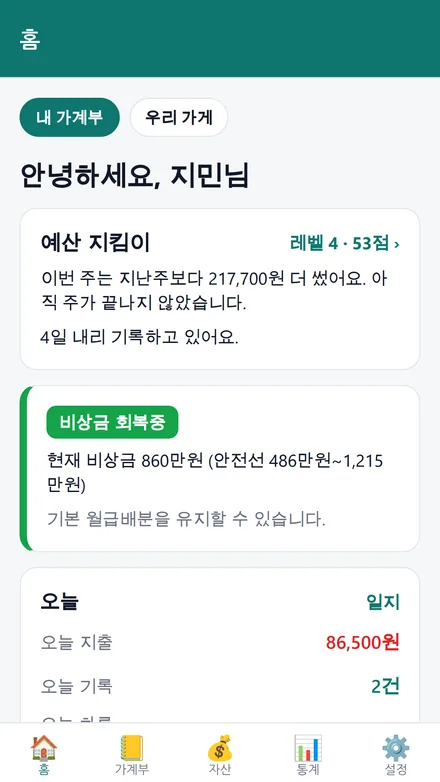
Howtoo walks your payment account forward date by date and warns you before the day it runs short.
Spend today, billed when?
Enter the billing period your issuer uses and get a heads-up before the cutoff. Spending targets are tracked too.
Balance is not what you can spend
Subtract the fixed costs still to come, add the salary still to arrive, and see the real figure on the home screen.
Never type the same thing twice
Weekly, every N weeks, monthly, every N months, yearly — and pick the weekdays too.
The reason, beside the number
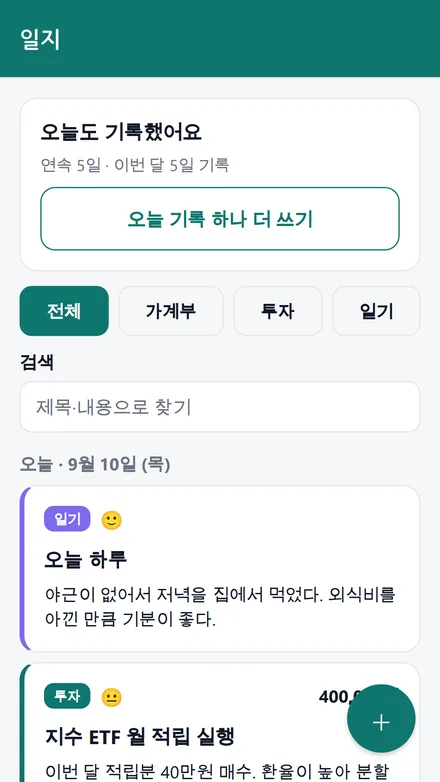
Budgeting apps get abandoned because only numbers remain. Knowing why is what changes next month.
One line, right from the entry
Tap “write a line about this” while entering an expense and the journal opens with the date and amount filled in. Mood and photos too, and it counts your streak.
Including what you craved
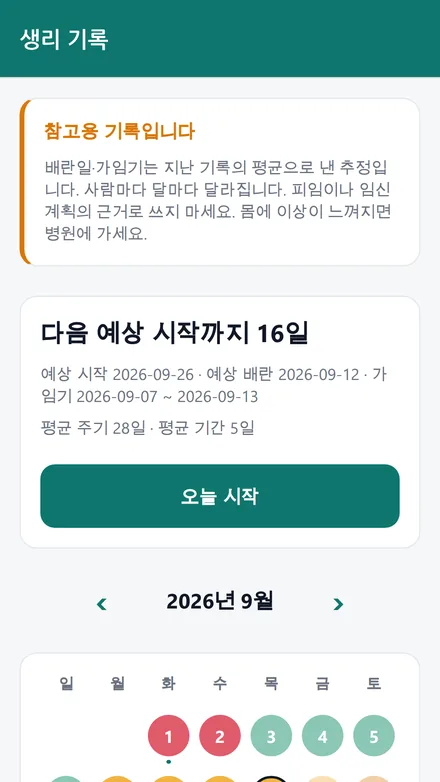
Log your cycle and see average daily spending and cravings by phase. Not a medical device, and the records never leave your device. A PIN lock is available.
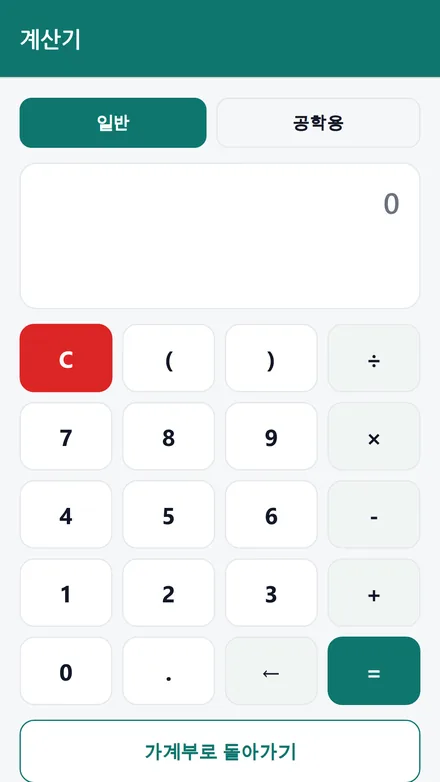
Basic and scientific, with history
A calculator lives inside the app. Up to 100 results are kept, and amount fields accept expressions directly.
Tag late-night food and delivery
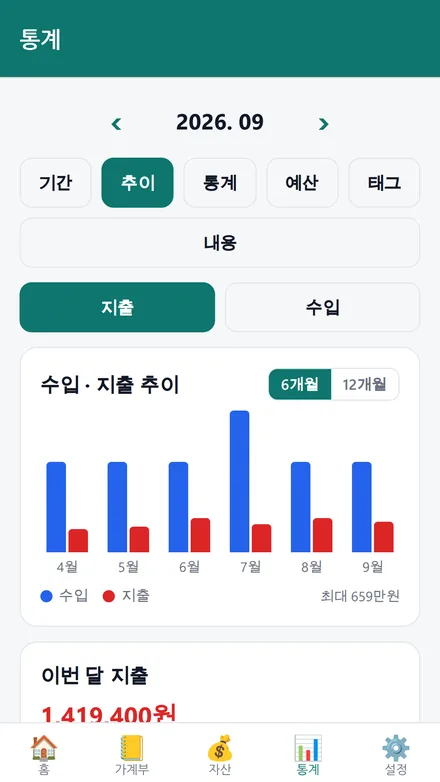
Tag the spending you want to cut and see what you could have saved. It states facts; it does not scold.
From a schoolchild to a retiree
Pick who is using it and the categories, budget and visible screens change. No pension screens for a student; medical costs come first for a retiree.
Dark at night, on its own
Brightness follows your device setting, and you pick the accent from green, blue, plum or sand.
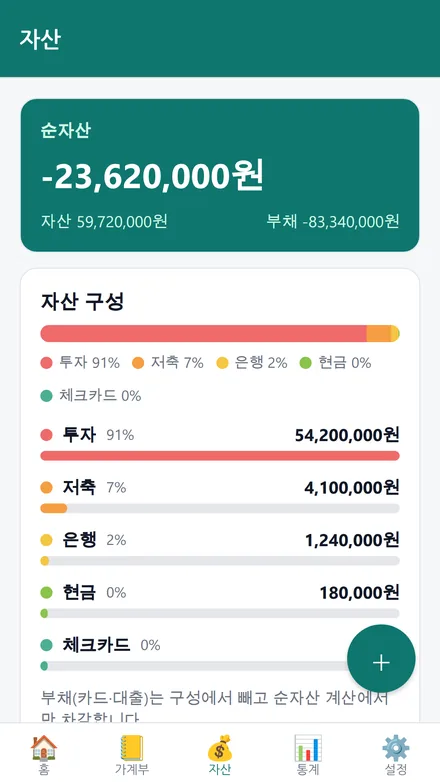
Budget and portfolio together
Holdings and asset weights
See unrealised gains and weights; recurring contributions are calculated on their real debit date, holidays included.
Pension and IRP deduction limits
See how much more you can contribute — money you get back at year-end settlement.
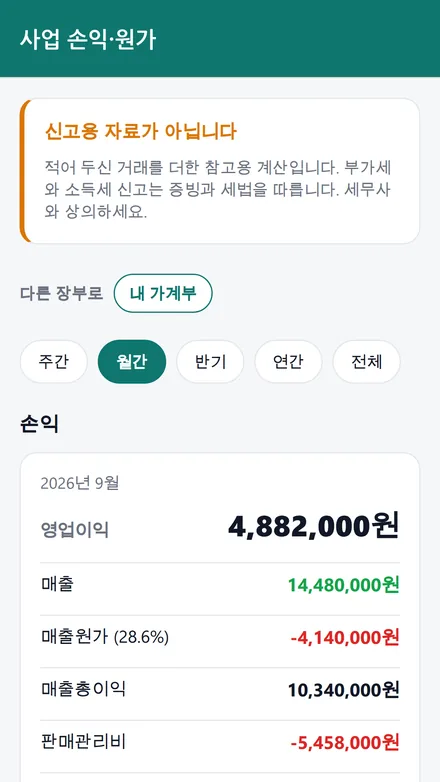
If you run a shop
A separate business ledger subtracts cost of goods and overheads from revenue to show real profit. Per-item cost and cost ratio, break-even revenue and an estimated VAT figure too. Reference only — not a tax filing.
Separate ledgers, combined view
Each partner keeps their own ledger while the assets and flows are viewed together. Pension and retirement accounts are counted separately because you cannot spend them now.
Your money stays on your phone
A ledger reveals everything about your finances. That is why on-device storage is the default.
| Data | Where it is stored |
|---|---|
| Transactions, balances, holdings | On your device only (never sent to our server) |
| Spending journal entries and photos | On your device only |
| Period records | On your device only — not to Drive, not to a shared ledger |
| If you turn on spreadsheet sync | A spreadsheet in your own Google Drive (never through our server) |
| If you request an AI report | Aggregated figures only — never individual transactions or merchant names |
Pricing
Everything works for free. You pay only to remove ads or to use AI more often.
Free
Ledger, accounts, investing, tax, journal, period log, calculator, spreadsheet sync and alerts — all of it. A banner ad sits at the bottom and AI reports are limited to 5 per month.
Ad-free · Plus
The banner disappears and the AI report allowance goes up.
Lifetime
Pay once, stay ad-free. Unlimited AI is not included.
Common questions
Does it import transactions from my bank?
No. Howtoo does not connect to bank or card-issuer accounts, and there is nowhere in the app to store an account number, a card number or brokerage credentials. It can read a card approval SMS you paste in and fill the amount and merchant for you.
Is the period tracking accurate?
It is an estimate based on the average of your past records. Cycles vary between people and between months, so it must not be relied upon for contraception or pregnancy planning. These records are stored on your device only and are never sent to our server or to Google Drive.
What happens to my data if I change phones?
Export a JSON file from Settings and import it on the new device. With Google Drive sync on, transactions and account names are matched between devices automatically.
Can I use it on a PC?
Turn on Drive sync and a spreadsheet appears in your own Google Drive. Open it in Excel, edit, save, and the app picks up the changes — formulas included.
Does it recommend what to invest in?
No. Howtoo is not an investment advisory service and never tells you to buy or sell. It calculates allocations and limits from figures you enter, as a reference for your own decisions.
How does it know the public holidays?
Weekends, fixed-date holidays and substitute holidays are computed by rule. Dates that move each year, such as Lunar New Year and Chuseok, are fetched from the Korean public data service or entered by you in Settings.